Economic Calendar
Browse scheduled events and filter by region or importance.
Economic Calendar lists scheduled releases and events with their date, country or currency, estimated impact, category and source. It helps you inspect the schedule and open the originating institution's information.
Read the schedule
- Open PANELS → Economic Calendar.
- Use the table icon at upper right for a chronological list. Click Date to change its sort direction.
- Read the event name and source, then hover the country flag or impact dot for its label.
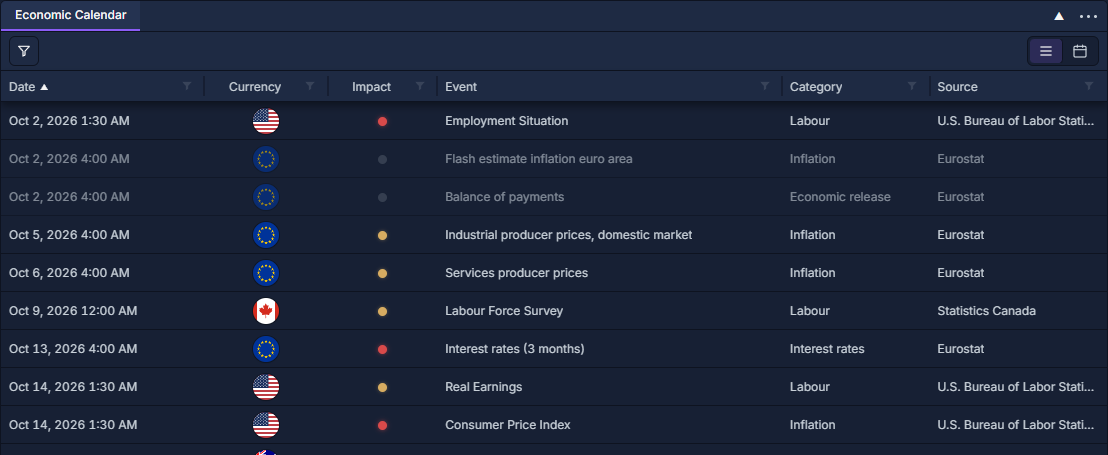
Impact dots distinguish high (red), medium (amber) and low (muted). Impact is a classification, not a prediction of the size or direction of a market move. A date-only event has no precise intraday release time; the agenda labels it All day.
Narrow the schedule
Click the funnel at upper left. Search events narrows the topic; Impact and Regions select the event groups; Date range sets the requested period. Choose the required values and click Apply. Reset → Apply restores the default filters.
For example, select High, North America and the week you want to review. Clear those restrictions when you need other regions or lower-impact releases. Separate table-column filters can narrow the view further; see Work with data grids.
Browse the monthly agenda
Click the calendar icon at upper right. Events are grouped into date cards, with times beside their titles.
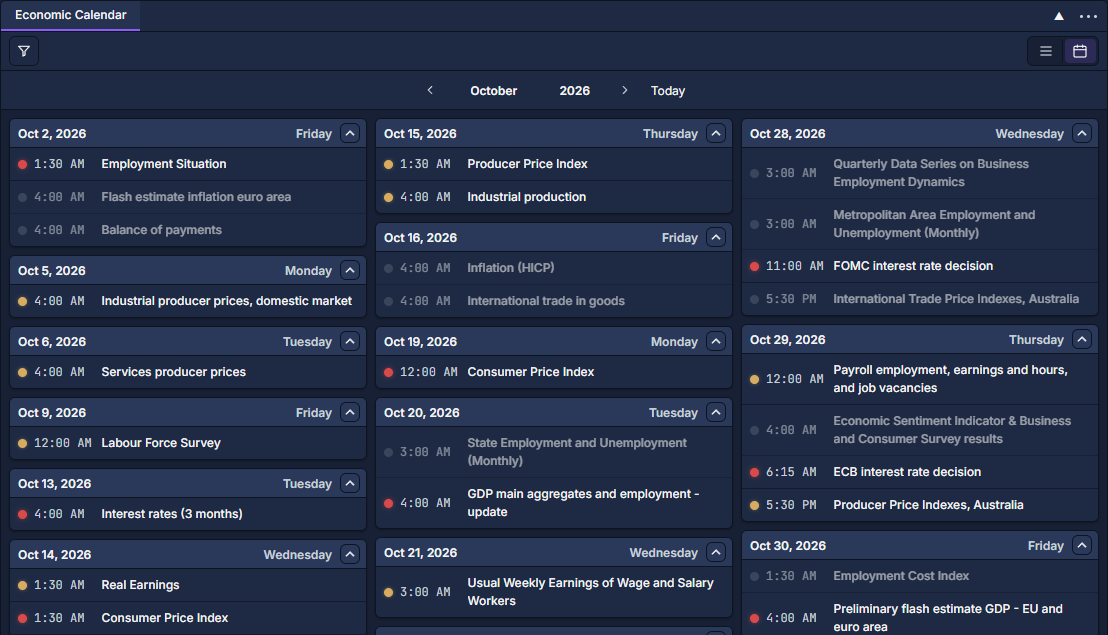
Use the arrows beside the month and year to move one month, or click the month/year text to jump. Today returns to the current month. Click a date-card header or its chevron to collapse or expand that day's events.
Click a table row or an event in the agenda to open its description, time, impact and Open official source link. Month navigation displays the events already included by your filters; extend Date range if the month you want lies outside them.
The panel shows a schedule, not a forecast/actual/previous-value release table. Use the official source for the published result and News Feed for related announcements.