TPO sessions and templates
Define session hours, weekdays and time zones, including overnight sessions.
Sessions decide which hours belong to a TPO profile. They also anchor the initial balance to the main-session start. A daily profile built on a 24-hour market and one built on selected daytime hours describe different observations.
Open TPO → Sessions from the chart's upper toolbar. The 24 × 7 selection is continuous trading. Custom templates belong to this chart's TPO settings and can travel with its panel template; there is no separate global session manager.
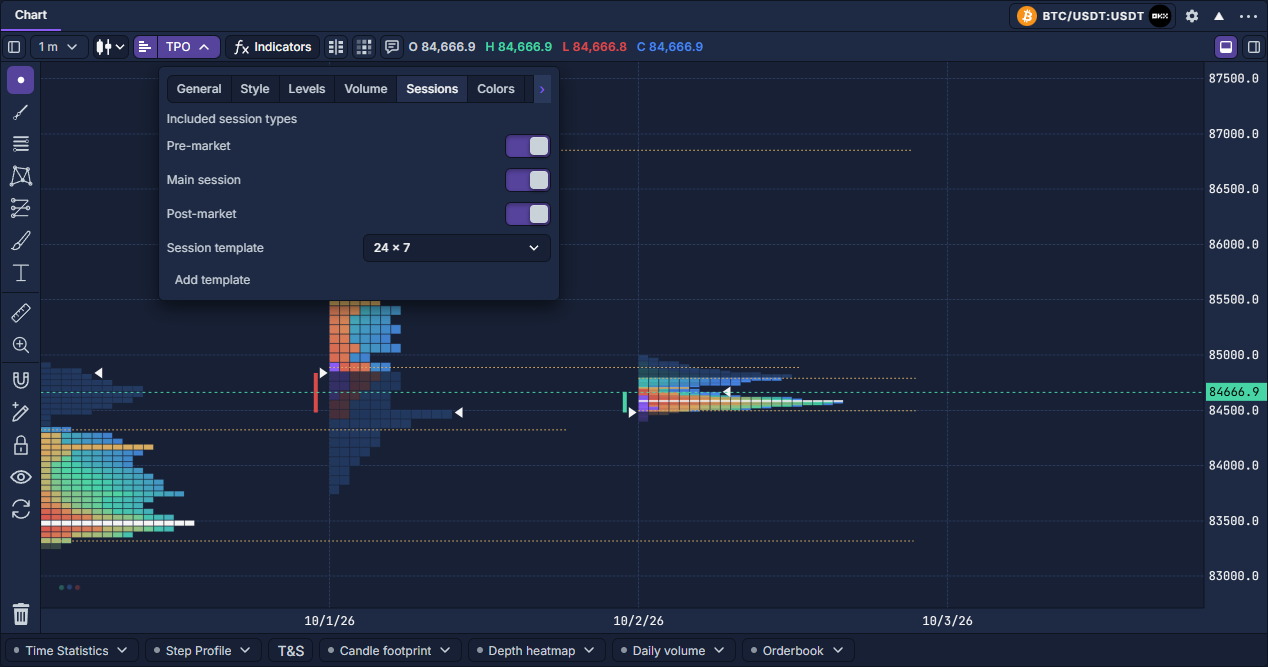
Create a weekday example
This example selects 09:00–17:00 UTC on weekdays for comparison. It is a study window, not a claim about an exchange's opening hours.
- Click Add template. Enter Weekday study in Template name.
- Keep Time zone: UTC, or choose the named zone that matches your intended session.
- Give the session a name and select Main session as its type.
- Click Start. Enter 9 hours and 0 minutes, choose AM, then Done. Set End to 5:00 PM in the same way. The picker follows the interface's time format.
- Leave Mon–Fri selected and deselect Sat and Sun under Session start days.
- Click Save template. The saved template is selected and the profiles use its calendar. Cancel edits discards unsaved field changes.
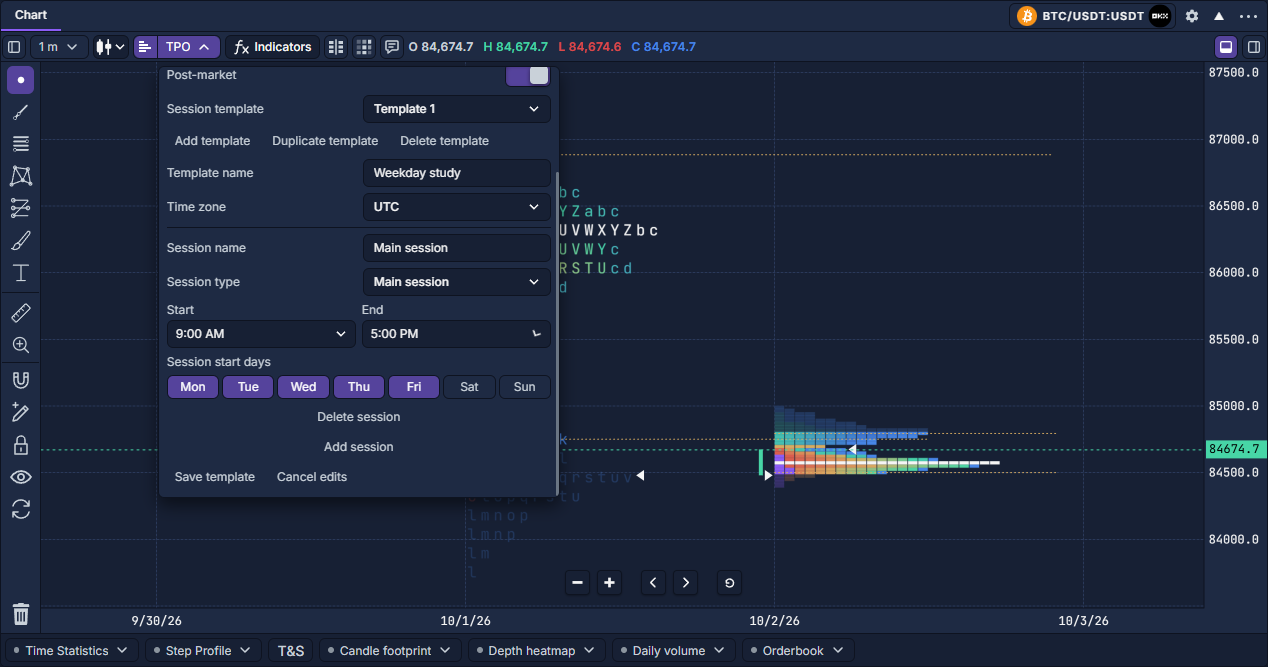
Understand each part
An end at or before the start continues into the next day. For example, Monday 18:00–02:00 starts Monday evening and ends Tuesday morning. Equal start/end times represent a full day, not a zero-length session.
Use Add session to add separate intervals, such as pre-market and main trading. Avoid overlaps between intervals. Saving validates the template name, time zone, clock values and overlaps; correct a highlighted error before saving again.
Reuse and compare calendars
Duplicate template creates a separate copy of the saved template. Rename and edit it to compare another schedule. Delete session removes one interval; Delete template removes the selected template and returns the selection to continuous trading.
Switch Session template between your saved schedule and 24 × 7 to compare the resulting profiles. Keep the same price grouping and Build from interval so the calendar is the deliberate difference.
General → Show bars outside sessions controls the underlying price series outside the chosen hours. It does not include those observations in the excluded TPO sessions. Save reusable chart preferences through Reuse panel settings.
TPO: reading and working with a profile · TPO settings · TPO volume profiles